

Mengatasi Error Gammu: The service did not respond to the start or control request in a timely fashion di sistem operasi windows
Kategori: Solved Software PHP Gammu
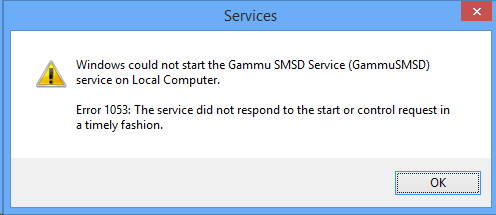
IDBLOGCMS.COM | Cara mengatasi error gammu "The service did not respond to the start or control request in a timely fashion" di sistem operasi windows:
- Buka registry dengan mengetik 'regedit' pada run di windows lalu cari di HKLM - SYSTEM - CurrentControlSet - services - GammuSMSD (nama service gamu yang anda buat)
- Edit nilai ImagePath dan hilangkan '-f 0' pada value data
- pada file smsdrc ubah port device sesuai dengan port yang anda pakai
[gammu]
device = com3:
connection = at115200
# Database backends congfiguration
# user, passwd & database disesuaikan dengan sistem anda
user = root
password =
pc = localhost
database = gammu
# DBI configuration
service = SQL
driver = native_mysql
- Pada file gammurc juga disesuaikan pemakaian port dan koneksinya menjadi
[gammu]
device = com3:
connection = at115200
- setelah itu silahkan anda restart service apache & mysql dan silahkan anda coba ulangi menjalankan service Gammu kembali.
Semoga berhasil.
tags: webserver pemrogramman konfigurasi clientmail